








Alerts
Set up custom alerts to stay informed about the metrics that matter most to you.

Explore OnTime's comprehensive suite of features designed to streamline your workflow and boost productivity. Discover the tools you need to succeed.
Set up custom alerts to stay informed about the metrics that matter most to you.
Send private messages directly to other members. Stay connected with your inner circle.

Create dedicated channels for focused discussions. Keep project-related conversations organized and accessible.

Use threads to reply directly to individual messages. Keep conversations clear and contextual.
Format text with simple symbols. Add headings, lists, and emphasis to your messages.
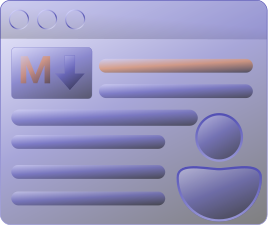
Set up custom alerts to stay informed about the metrics that matter most to you.
Send private messages directly to other members. Stay connected with your inner circle.
Create dedicated channels for focused discussions. Keep project-related conversations organized and accessible.
Use threads to reply directly to individual messages. Keep conversations clear and contextual.
Format text with simple symbols. Add headings, lists, and emphasis to your messages.

Never miss a call again! Customize your audio call alerts to stay connected with your team.

Customize your profile, adjust notifications, and manage your account with ease.
Personalize alerts to track key performance indicators in your virtual office. Level up your productivity!


Coordinate schedules across multiple time zones and office locations.

Join meetings instantly! Configure your video call settings for seamless collaboration.

Choose the time zone that applies to your company.

If your employees work overtime, track it.
You can change the working hours and days according to your office working hours.
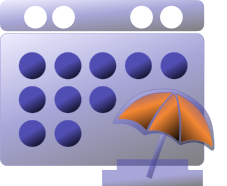
Configure your company specific holidays.

You can track all leaves taken by a employee.
Organize and standardize work categories for better tracking and clarity.

Structure responsibilities to align teams with your workflow.

Add Skills to Employee Roles, setting expected completion times.

Invite new users and manage their account permissions.
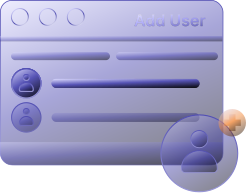
Add new employees to your workspace and configure their roles.
Invite team members to your workspace and set their roles. Grant specific permissions to maintain a secure environment. Control access to projects and data for enhanced security.

Grant access and set roles for new project collaborators.


Invite team members to your project and define their roles.
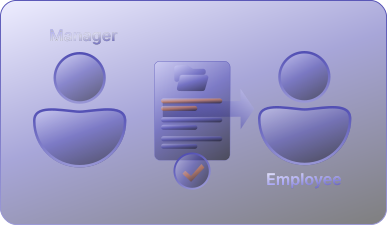
Invite employees to your workspace, define their roles, and establish access levels to ensure a seamless collaboration experience.

Events are grouped by model (task/project/Workorder/employee) and sent as one summary after this interval.

Tasks, Workorders, project members -> sent based on project roles and assignments
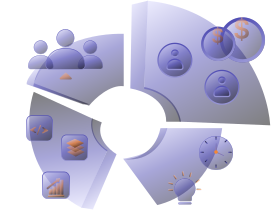
Employee skill/salary/role updates -> sent to affected employee and admins
Generate preliminary work orders.

Create and save task drafts to review, refine, and finalize before assigning or execution.
Finalize your plan and publish it to keep your project moving forward.
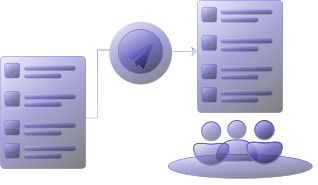
After defining the objectives, create preliminary work orders to outline the tasks, resources, and timelines required to achieve the desired outcomes.

Once objectives are set, link tasks to clarify the sequence and dependencies needed for successful completion.

Once objectives are set, create work orders with sub-tasks to detail steps, and set deadlines for optimal results.

Create a milestone, define due dates, and generate preliminary work orders to ensure timely completion.
Add work orders to a milestone and define due dates.
Monitor progress towards key milestones.

Assign tasks, set deadlines, and create work orders for on-time project delivery.
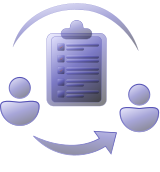
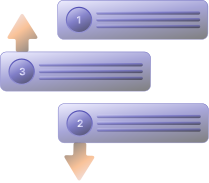
Order tasks to set priority and ensure timely project delivery.
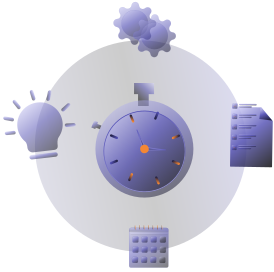
Track your hours for project oversight and better resource allocation.

Perform tasks precisely, aligning with project goals and meeting the highest standards.

Estimate how long tasks take to finish, helping you plan projects and allocate resources effectively.
Manage tasks, deadlines, and work orders to ensure projects are delivered on time and within budget.

Analyze trends in task completion, deadline adherence, and work order efficiency to optimize project workflows.

Examine task progress, on-time delivery, and work order effectiveness to improve project operations and reduce wasted time.

Analyze project advancement, timely completion, and operational efficiency to refine workflows and minimize delays.

As an employee, manage tasks and deadlines efficiently to ensure timely project delivery and meet performance goals.

Task type involves examining trends in completion rates and deadline adherence to optimize workflows, ensuring projects are delivered efficiently and effectively.


Review task advancement, on-schedule delivery, and work order performance to boost project results and cut down on wasted resources. This helps refine project workflows.
Evaluate project timelines, deliverables, and resource use to improve processes and cut down on hold-ups.

Streamline onboarding by extending personalized invitations and fine-tuning user permissions for optimal access control.

Analyze financial data to improve profitability and identify key trends.

Allocate resources wisely by setting budgets, tracking expenses, and forecasting future financial needs.
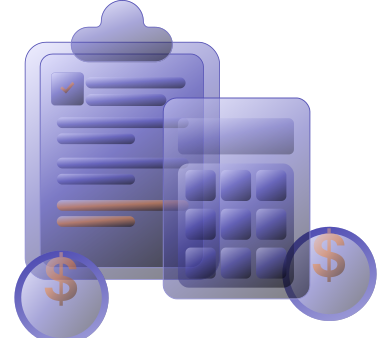
Teams use too many disconnected actions and views. This creates noise instead of clear execution visibility.Let’s find out do you really need OnTime?
Start Date
Home
Calendar
Search
Plan
Filter
Project assignment
Assign
Alert
Expand
Reset Password
Recover
Due Date
Workorder
Task Board
Upload Background
History
Shrink
User Active
Thread
Depended Task
Alert
Tasks
Employees
Schedule
Add
User Deactive
Refresh
Notes
Leave
Spent Time
Link
Task Types
View
Copy
Highlights
Notes
Theme
User
Analytics
Deliverables
Descending
Export
Normal
Edit
Admin
Analytics
Status
All Projects
Ascending
Member
Aggressive
Task Session
Trends
Take to Top
Save
Conservative
Tags
Task Types
Category
Publish
Arrow Down
Arrow Up
Delete
Link
Question 01
Select only one
Most task tools focus on tracking work. OnTime focuses on understanding and improving execution.
Task tracking
Task status updates
Kanban board
Project Planning
Time Tracking (Basics)
Delivery prediction
Execution risk detection
Real Work Progress Analysis
Efforts vs Output Understanding
Resource Utilisation Visibility
Timeline Intelligence
Decision Support for Leaders
Cross-Project Insights
Task tracking
Task status updates
Kanban board
Project Planning
Time Tracking (Basics)
Delivery prediction
Execution risk detection
Real Work Progress Analysis
Efforts vs Output Understanding
Resource Utilisation Visibility
Timeline Intelligence
Decision Support for Leaders
Cross-Project Insights